[et_pb_section fb_built=”1″ _builder_version=”4.0.3″ custom_padding=”0px||||false|false”][et_pb_row _builder_version=”4.0.3″ custom_padding=”0px||||false|true”][et_pb_column type=”4_4″ _builder_version=”4.0.3″][et_pb_slider _builder_version=”4.0.3″ height=”600px” auto=”on”][et_pb_slide _builder_version=”4.0.3″ background_color=”rgba(0,0,0,0)” background_enable_color=”on” background_image=”https://chrismlyle.com/wp-content/uploads/2019/11/CP-Desktop-HP.jpg” background_enable_image=”on” sticky_transition=”on”][/et_pb_slide][et_pb_slide _builder_version=”4.0.3″ background_color=”rgba(0,0,0,0)” background_enable_color=”on” background_image=”https://chrismlyle.com/wp-content/uploads/2019/11/CP-Desktop-Themes.jpg” background_enable_image=”on” sticky_transition=”on”][/et_pb_slide][et_pb_slide _builder_version=”4.0.3″ background_color=”rgba(0,0,0,0)” background_enable_color=”on” background_image=”https://chrismlyle.com/wp-content/uploads/2019/11/CP-Desktop-CampaignBasics.jpg” background_enable_image=”on” sticky_transition=”on”][/et_pb_slide][et_pb_slide _builder_version=”4.0.3″ background_color=”rgba(0,0,0,0)” background_enable_color=”on” background_image=”https://chrismlyle.com/wp-content/uploads/2019/11/CP-Desktop-Ads.jpg” background_enable_image=”on” sticky_transition=”on”][/et_pb_slide][/et_pb_slider][/et_pb_column][/et_pb_row][et_pb_row _builder_version=”4.0.3″][et_pb_column type=”4_4″ _builder_version=”4.0.3″][et_pb_text _builder_version=”4.0.3″ custom_margin=”||15px||false|false”]

Campaign Pro

My Role — UI/UX, Product Design

[/et_pb_text][et_pb_text _builder_version=”4.0.3″]

Campaign Pro is a campaign wizard tool that is able to create custom campaigns for B2B/B2C and the sales team. The web app allows the user to be able to customize the hero image, copy and call to action. This application helps the specific team to create assets faster with less reliance on creative services team, allowing us to focus on higher level projects with more time to spend on creative.

My specific responsibilities (UX / UX) for this project was creating the core user interface design of the website; colors, functionality, icons, typography and the look and feel in its entirety. I was also a big part of the user experience and flow of the content from page to page working closely with other team members to make sure that the content and workflow was clear and concise for the user.
[/et_pb_text][/et_pb_column][/et_pb_row][et_pb_row _builder_version=”4.0.3″ custom_padding=”||||false|false”][et_pb_column type=”4_4″ _builder_version=”4.0.3″][et_pb_image src=”https://chrismlyle.com/wp-content/uploads/2019/11/CP-Desktop-HP.jpg” _builder_version=”4.0.3″][/et_pb_image][et_pb_text _builder_version=”4.0.3″]

Let’s get started

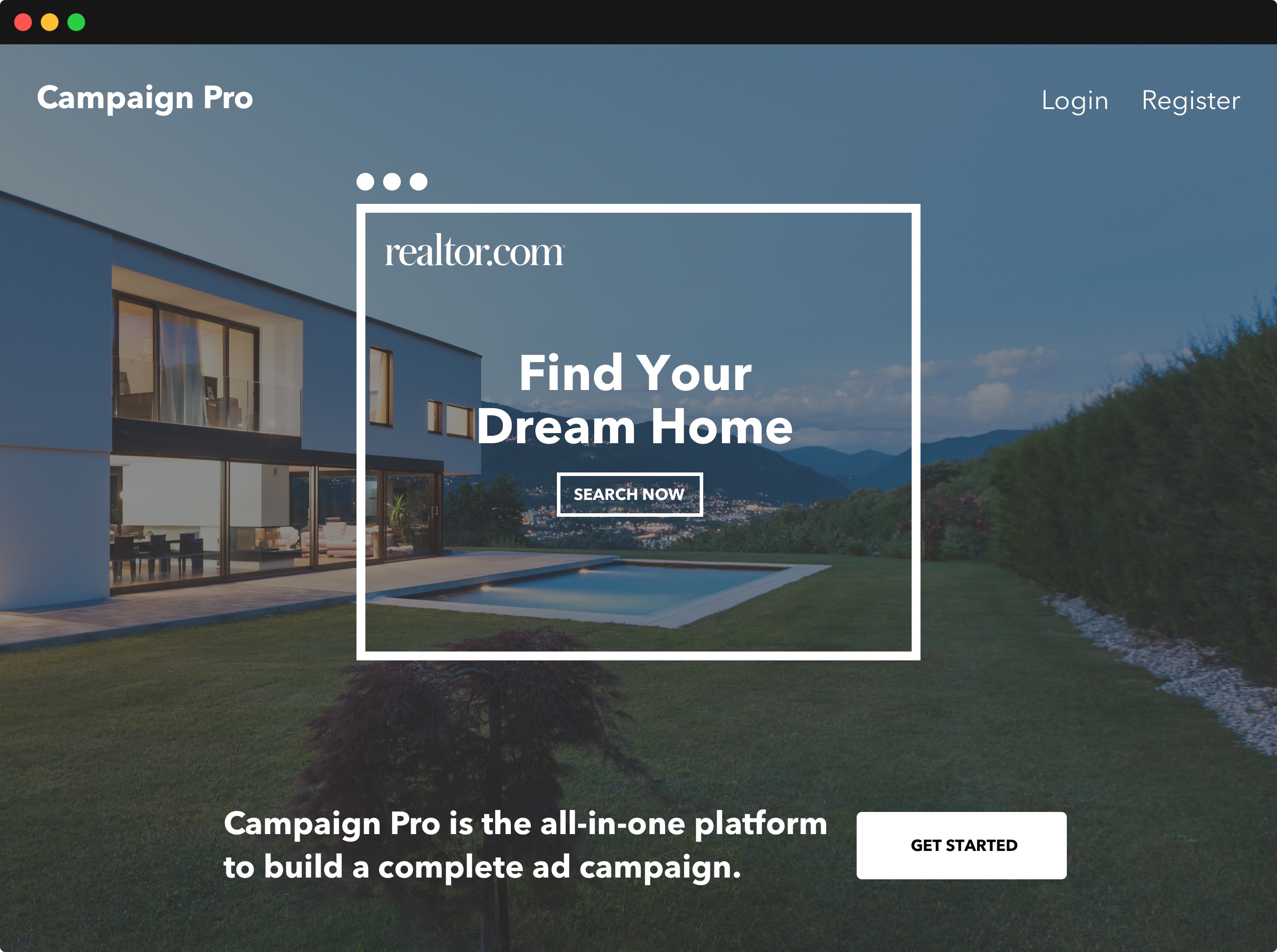
This is the homepage that encourages the user to start building their campaign.
[/et_pb_text][/et_pb_column][/et_pb_row][et_pb_row _builder_version=”4.0.3″][et_pb_column type=”4_4″ _builder_version=”4.0.3″][et_pb_image src=”https://chrismlyle.com/wp-content/uploads/2019/11/CP-Desktop-Themes.jpg” _builder_version=”4.0.3″][/et_pb_image][et_pb_text _builder_version=”4.0.3″]

Choose your theme

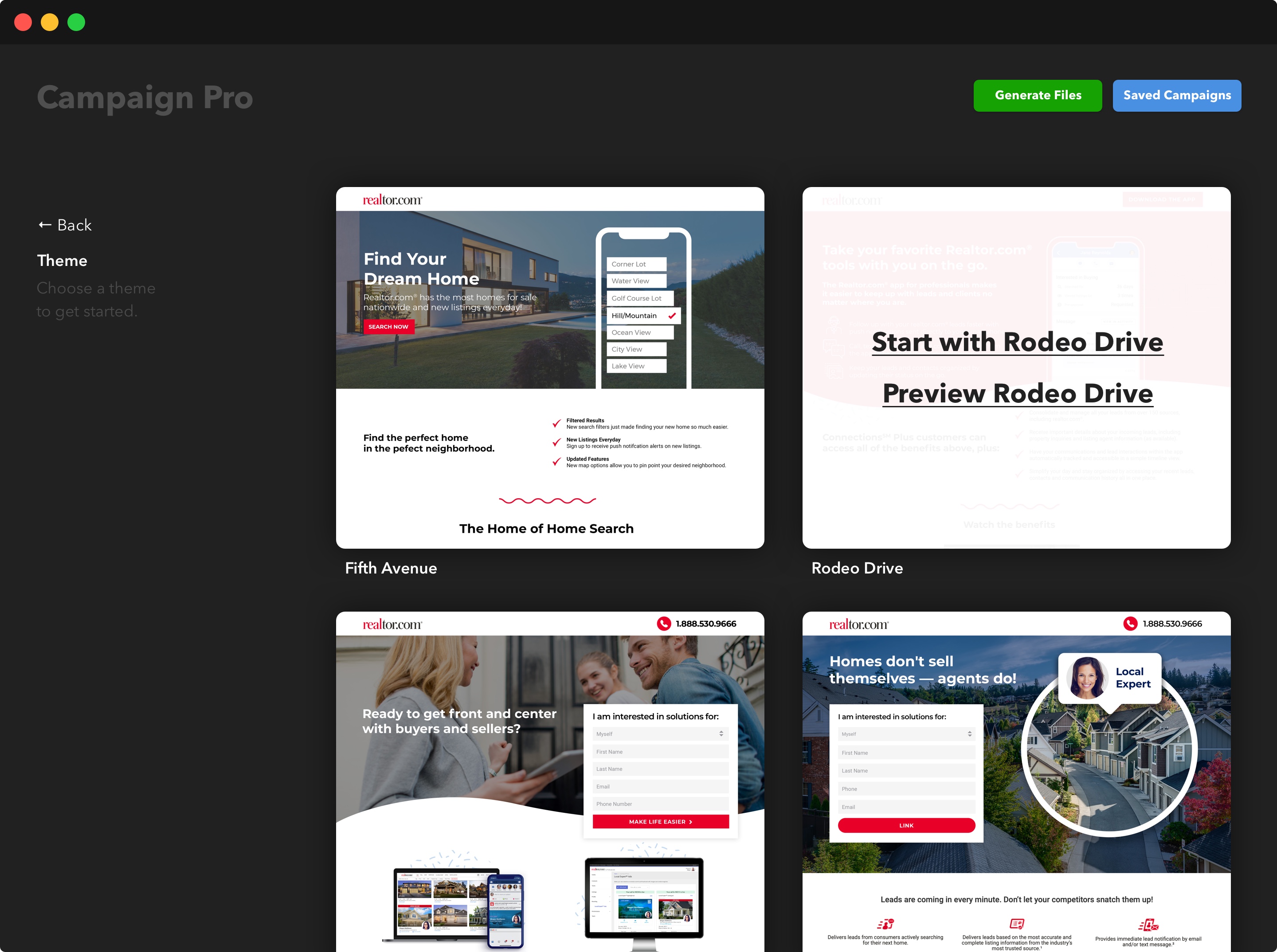
The user is given a myriad of templates to choose from and is able to select or preview each template they choose.
[/et_pb_text][/et_pb_column][/et_pb_row][et_pb_row _builder_version=”4.0.3″][et_pb_column type=”4_4″ _builder_version=”4.0.3″][et_pb_image src=”https://chrismlyle.com/wp-content/uploads/2019/11/CP-Desktop-CampaignBasics.jpg” _builder_version=”4.0.3″][/et_pb_image][et_pb_text _builder_version=”4.0.3″]

Add campaign content

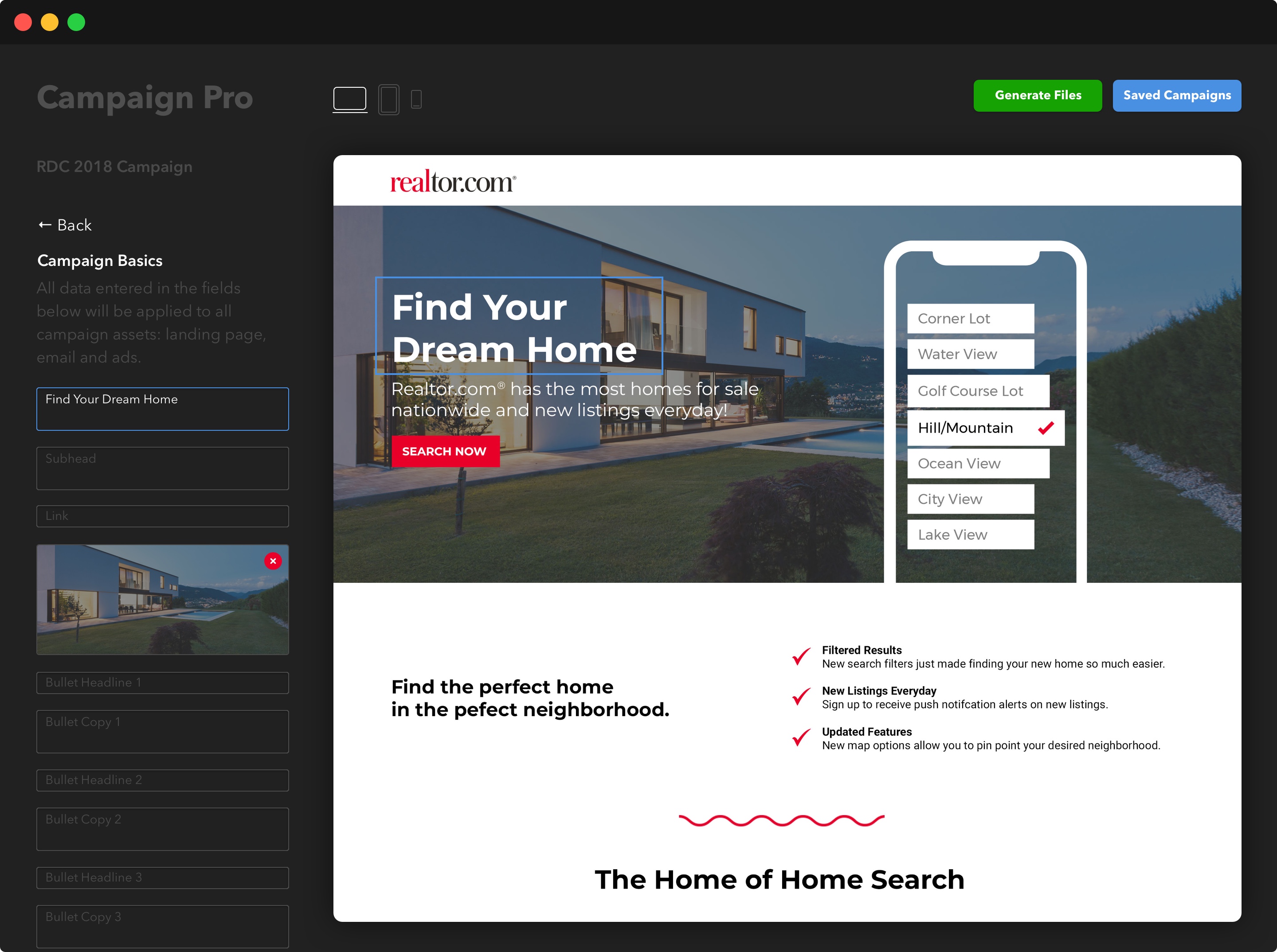
The user is now able to add content that applies to all campaign assets: landing page, email and ads using the sidebar or directly change the content in the live preview area on the right.
[/et_pb_text][/et_pb_column][/et_pb_row][et_pb_row _builder_version=”4.0.3″][et_pb_column type=”4_4″ _builder_version=”4.0.3″][et_pb_image src=”https://chrismlyle.com/wp-content/uploads/2019/11/CP-Desktop-LP.jpg” _builder_version=”4.0.3″][/et_pb_image][et_pb_text _builder_version=”4.0.3″]

Landing page and isolated edits

Once all the content is added for the campaign the user is able to change the copy/image for each individual asset: landing page, email and each ad size as needed.
[/et_pb_text][/et_pb_column][/et_pb_row][et_pb_row _builder_version=”4.0.3″][et_pb_column type=”4_4″ _builder_version=”4.0.3″][et_pb_image src=”https://chrismlyle.com/wp-content/uploads/2019/11/CP-Desktop-Email.jpg” _builder_version=”4.0.3″][/et_pb_image][et_pb_text _builder_version=”4.0.3″]

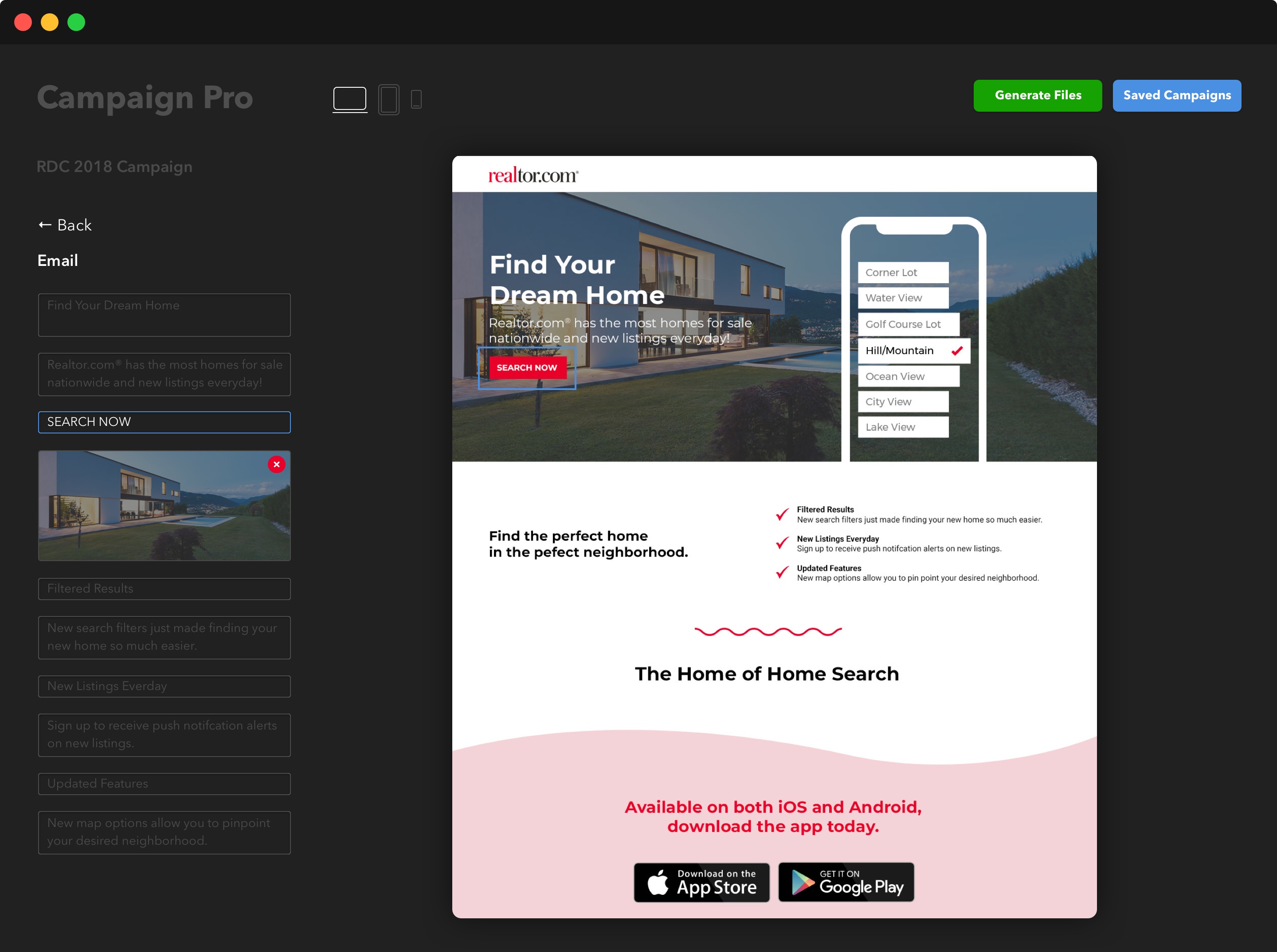
Email options and auto save

Once edits are made the campaign auto saves and is accessible at all times via the top right navigational link.
[/et_pb_text][/et_pb_column][/et_pb_row][et_pb_row _builder_version=”4.0.3″][et_pb_column type=”4_4″ _builder_version=”4.0.3″][et_pb_image src=”https://chrismlyle.com/wp-content/uploads/2019/11/CP-Desktop-Ads.jpg” _builder_version=”4.0.3″][/et_pb_image][et_pb_text _builder_version=”4.0.3″]

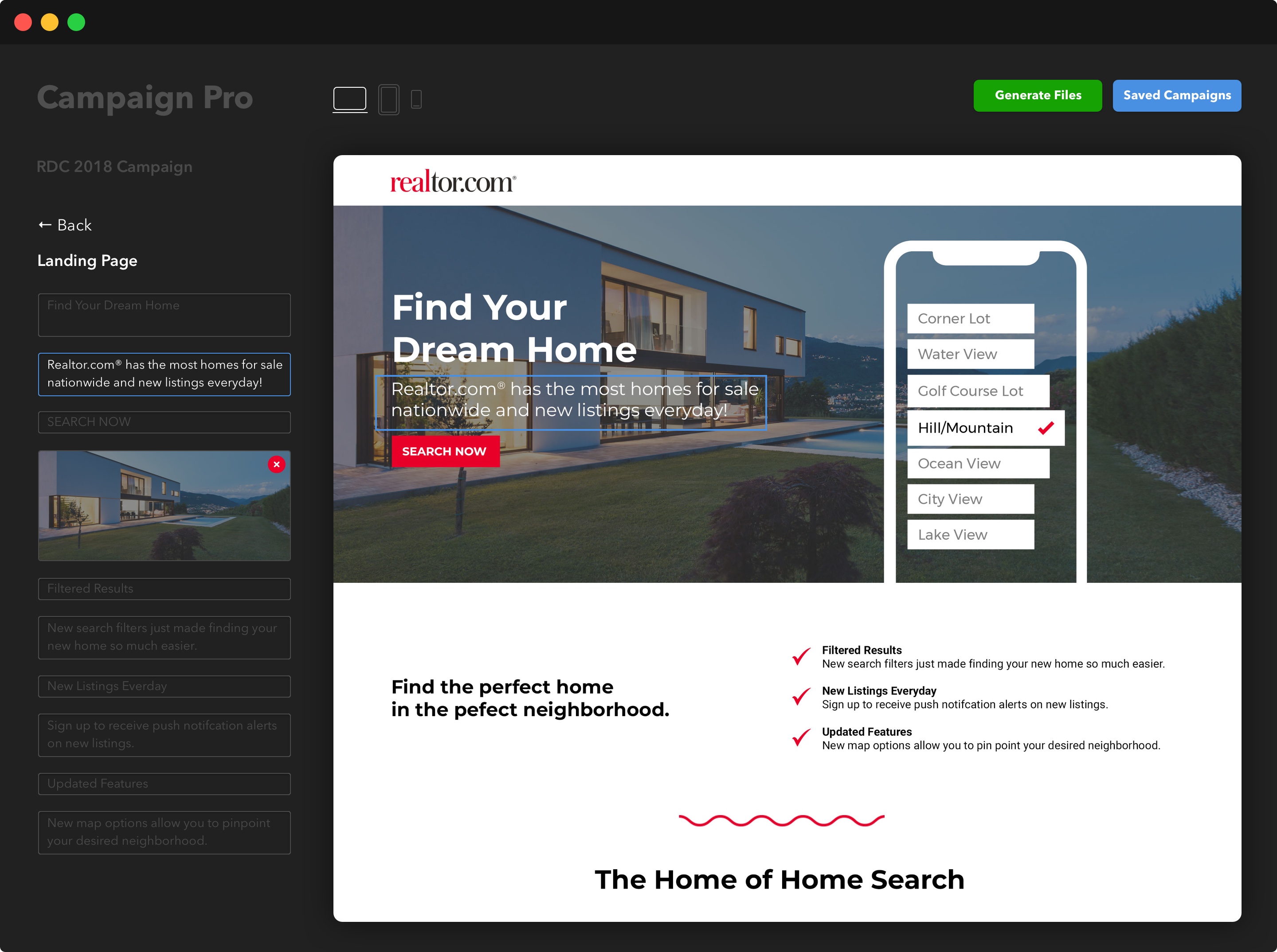
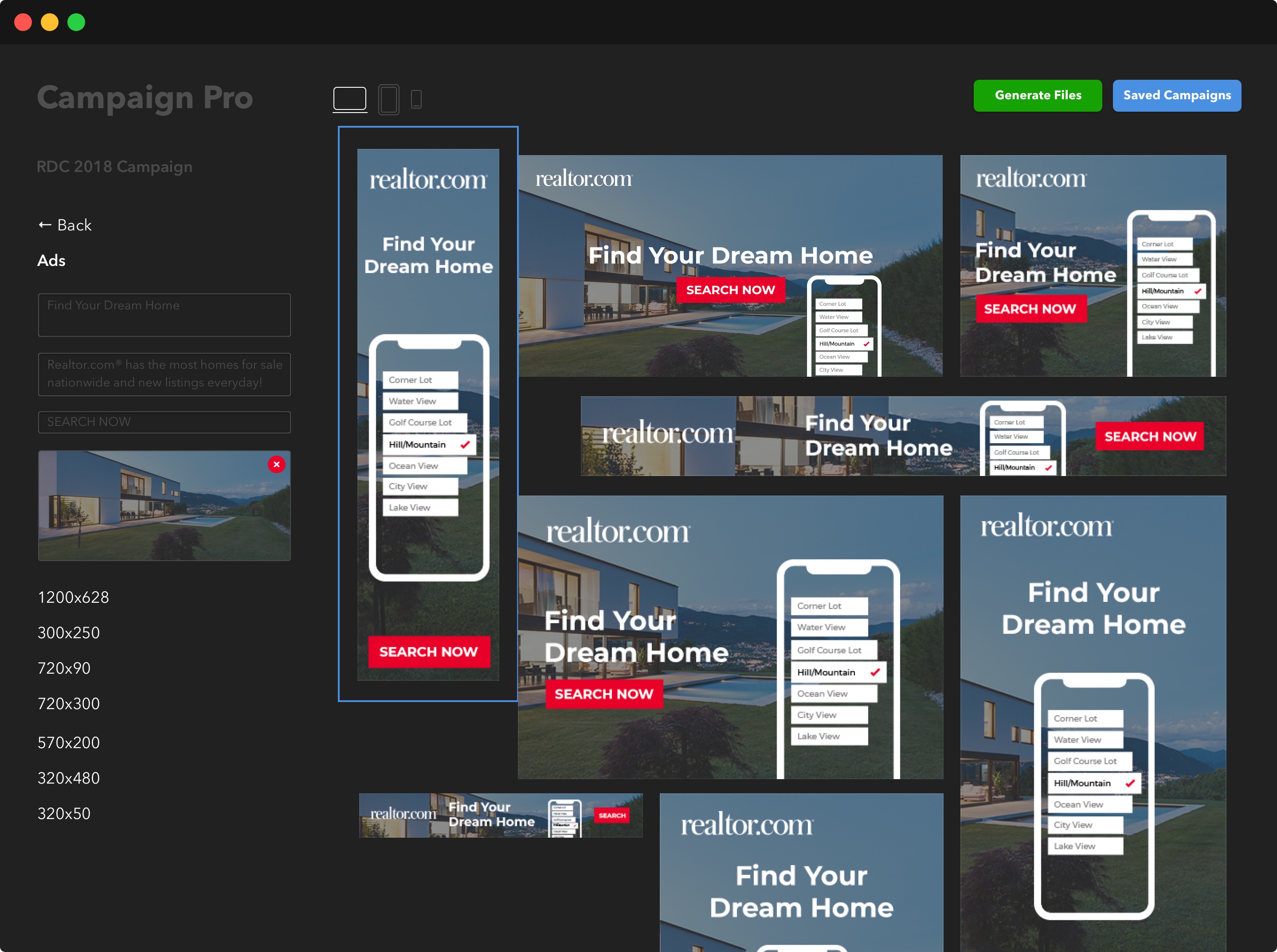
Ad options and generate files

The user is able to generate and download all campaign files via the link in the top right.

[/et_pb_text][/et_pb_column][/et_pb_row][et_pb_row _builder_version=”4.0.3″ global_module=”693″ saved_tabs=”all”][et_pb_column type=”4_4″ _builder_version=”4.0.3″][et_pb_post_nav next_text_tablet=”” next_text_phone=”” next_text_last_edited=”on|tablet” _builder_version=”4.0.6″ title_text_color=”#3a3a3a” title_font_size=”24px” title_text_color_last_edited=”off|desktop” title_font_size_tablet=”” title_font_size_phone=”16px” title_font_size_last_edited=”on|desktop” next_text__hover_enabled=”off|desktop” title_text_color__hover_enabled=”on|hover” title_text_color__hover=”#0274be” title_font_size__hover_enabled=”on|desktop”][/et_pb_post_nav][et_pb_text _builder_version=”4.0.5″ text_font=”Elegant Icons||||||||” text_text_color=”#000000″ text_font_size=”40px” link_text_color=”#3a3a3a” text_font_tablet=”” text_font_phone=”” text_font_last_edited=”on|desktop” text_text_color__hover_enabled=”on|desktop” link_text_color__hover_enabled=”on|desktop” link_text_color__hover=”#0274be” link_font_size__hover_enabled=”on|desktop”]

[/et_pb_text][/et_pb_column][/et_pb_row][/et_pb_section]

Scroll to Top